
Get started
Authentication
Shift APIs use API Key Authentication. To access the API, include your API key in the x-api-key request header.
API Key Authentication
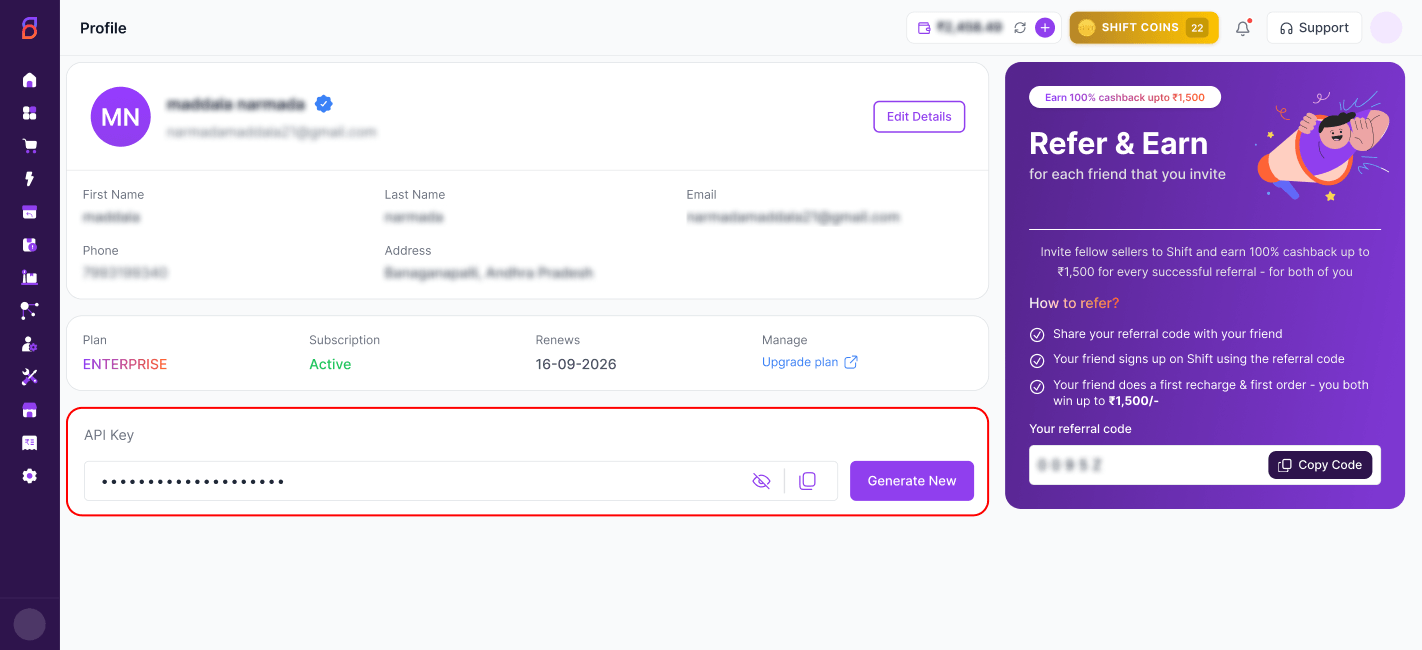
Log in to your Carrier Portal account at carrier.shift.in , navigate to the Profile section, and copy your API Key.
API Key Location
Include the API Key in Your Request
All API requests require the following request header:
x-api-key: <your_api_key>Replace <your_api_key> with the API key copied from your Carrier Portal profile.
Using Postman
- Open Postman and create a new request.
- Go to the Headers tab.
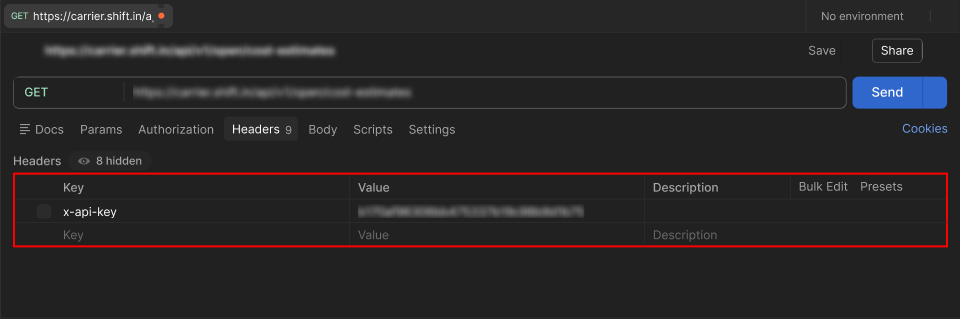
- Add a new header with the following values:
Key: x-api-key
Value: <your_api_key>
Postman Screenshot Reference
Stuck on an integration?
Your account manager can put you in touch with our tech team.